E-Invoicing Guide
Quick Start
Step 1 - Enabling the E-Invoicing Feature
To get started with E-Invoicing, please contact your partner manager. They will assist you in activating the E-Invoicing functionality for your company.
Step 2 - Configuration
For issuing E-Invoices, the configuration of base data is required. Details on maintaining this configuration can be found in the chapter API - Base data/company header data and Cfg - Configuration. The necessary base data includes the following config sections in the efsta Portal:
- Company
- Location
- Profile
- e-Invoice
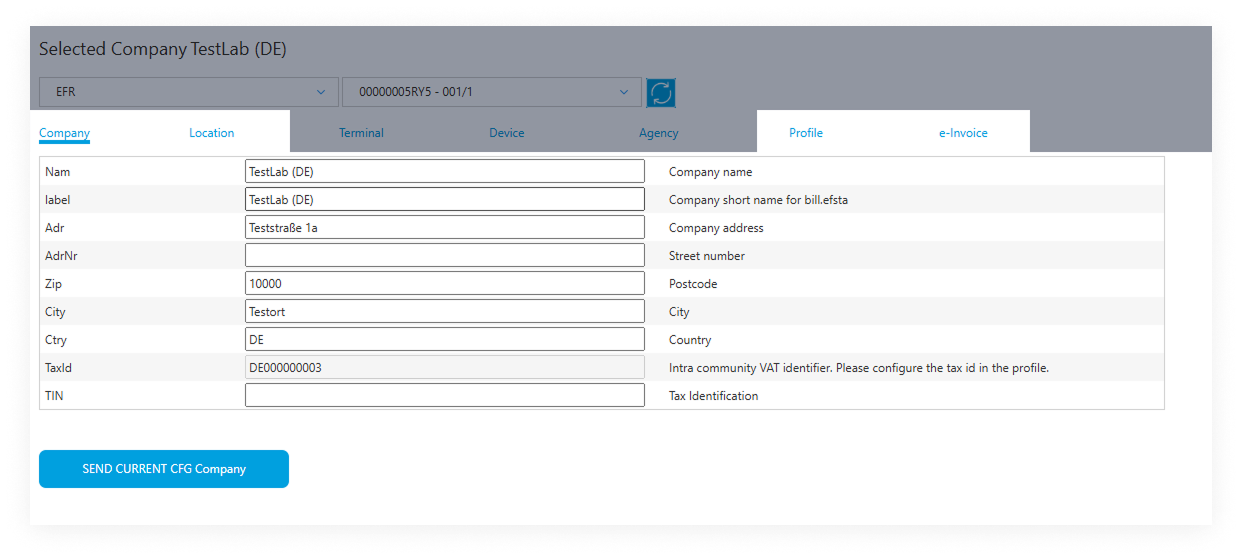 This information will be automatically included in all E-Invoices.
Required country-specific configs under the tab "e-Invoice"
- Belgium
- Germany
- Poland
- France

- For Belgium, the config property
peppolSenderIdis required as it identifies the seller's electronic address in the Peppol network.
More information can be found in the Peppol Endpoint ID specification.
- For Germany, the config property
peppolSenderIdshould be set if the seller has a Peppol sender ID. If nopeppolSenderIdis provided, the value will be derived automatically by prefixing9930:to the seller's VAT number to construct the sender ID for B2G transactions.
More information can be found in the Peppol Endpoint ID specification.

In Poland, KSeF authentication and offline certificates are required. You can find more information in the KSeF Authentication Certificate section.
For France, the config property peppolSenderId identifies the seller's electronic address in the Peppol-Network, the same way as for Belgium. The three mandatory legal payment notes (PaymentNotePenalty, PaymentNoteRecovery, PaymentNoteDiscount) are also required. In addition, each company must complete a one-time onboarding and directory registration before any E-Invoices can be sent or received. Finally, the company base-data field VATonPayment must be set to true / 1 if VAT is chargeable on receipt of payment, so that payments are reported for B2C and cross-border B2B transactions - see E-Reporting.
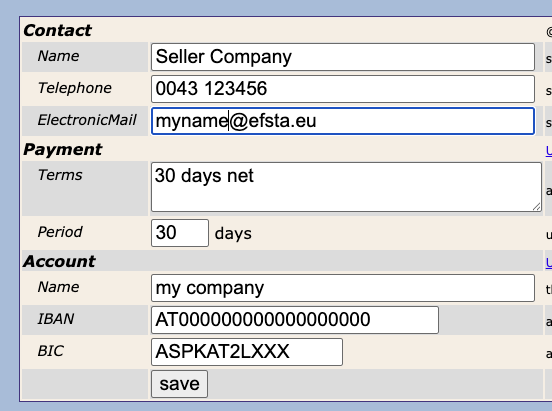
It is very important to fill in the "ContactElectronicMail" field in the e-Invoice configuration tab to ensure the seller of the E-Invoice receives an email notification with the opportunity to correct and resend it in case of an error.
While it is possible in Italy, Germany & Poland to set the E-Invoicing configuration in the EFR, all others require the efsta Portal for setup.
Setting up the E-Invoicing configuration in the EFR
-
First, please navigate to the E-Invoicing tab in your EFR.
Then proceed by clicking the gear icon at the top of the list.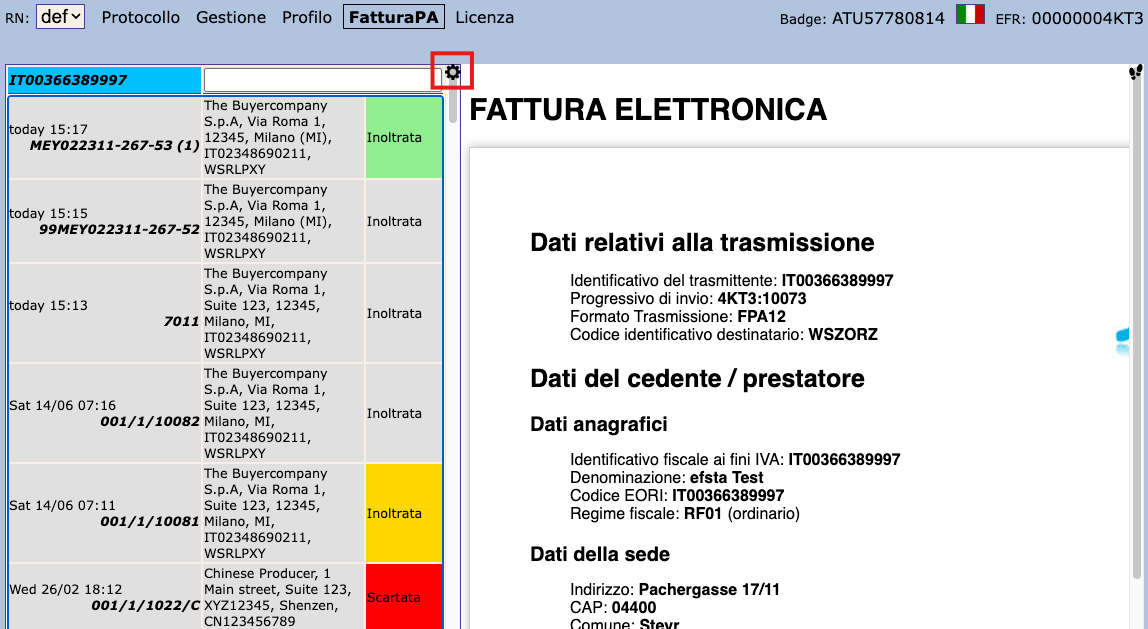
-
You will be redirected to the page where E-Invoicing settings can be changed.
 ATTENTION: IT
- For Italy, Regulatory-Compliant Preservation requires end-user intervention! For more information, please see the Regulatory-Compliant Preservation section.
Step 3 - Sending
For sending an E-Invoice you have to trigger the electronic delivery.
To do so, please specify ESR.DD (aka "document delivery"), e.g.: DD="IT". Secondly, if required, please also provide the DDto (document delivery to) field.
You can find a detailed overview of the required DD values for each country in the General API Documentation.
For country-specific information on DDto values, please refer to the guides for Germany, Italy, Poland and France respectively.
Example Request
- JSON
- XML
{"Tra":
    {"ESR":
        {"DT": "INVOICE", "DD": "IT-TEST", "DDto": "WSRLPXY",
        "Ctm":
            {"TaxId": "IT02348690211", "Nam": "The Buyercompany S.p.A", "Adr": "Via Roma 1",
                "Zip": "12345", "City": "Milano (MI)"
            },
        "PosA": {
            "Pos": { "PN": "1", "Dsc": "test", "TaxG": "B", "Amt": "1.00"}},
        "PayA": {
            "Pay": { "Dsc": "Contanti", "PayG": "cash", "Amt": "1.00"}}
        }
    }
}
<Tra>
  <ESR DT="INVOICE" DD="IT-TEST" DDto="WSRLPXY">
    <Ctm TaxId="IT02348690211" Nam="The Buyercompany S.p.A" Adr="Via Roma 1" Zip="12345" City="Milano (MI)"/>
    <PosA>
      <Pos PN="1" Dsc="test" TaxG="B" Amt="1.00"/>
    </PosA>
    <PayA>
      <Pay Dsc="Contanti" PayG="cash" Amt="1.00"/>
    </PayA>
  </ESR>
</Tra>
Example Response
- JSON
- XML
{
  "TraC": {"SQ": "402", "DDH": "4KT3:402",
    "Result": { "RC": "OK"},
    "ESR": {"TL": "1", "TT": "1", "D": "2025-07-15T15:15:07", "T": "1.00", "TN": "289",
      "TaxA": {
        "Tax": {"TaxG": "B", "Prc": "10", "Net": "0.91", "TAmt": "0.09", "Amt": "1.00"}
      }
    },
    "Fis": { "D": "15-07-2025 15:15", "DN": "0052", "ZI": "267", "ID": "99MEY022311"}
  }
}
<TraC SQ="402" DDH="4KT3:402">
    <Result RC="OK"></Result>
    <ESR TL="1" TT="1" D="2025-07-15T15:15:07" T="1.00" TN="289">
        <TaxA>
            <Tax TaxG="B" Prc="10" Net="0.91" TAmt="0.09" Amt="1.00"/>
        </TaxA>
    </ESR>
    <Fis D="15-07-2025 15:15" DN="0052" ZI="267" ID="99MEY022311"/>
</TraC>