DATEV-onboarding
Step 1: Feature Activation
- To request the activation of DATEV MeinFiskal, please contact your partner manager.
- To participate to the Pilot phase, a pilot agreement is required.
Step 2: Login & Authorization
- Open the efsta Portal and go to your Company Settings
- Navigate to the "MeinFiskal" tab
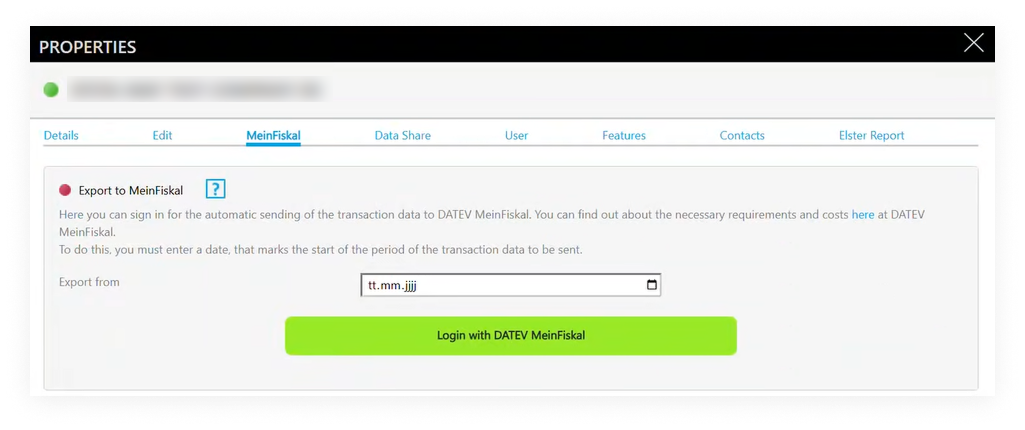
- Select the export start date
- currently from the start of the current year
- Click "Login with DATEV MeinFiskal" and log in using your MeinFiskal credentials
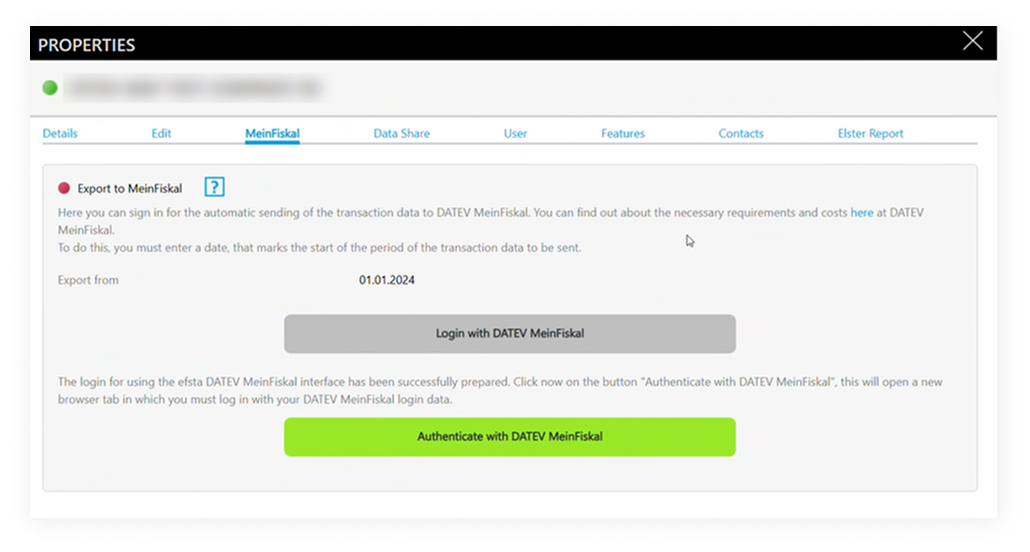
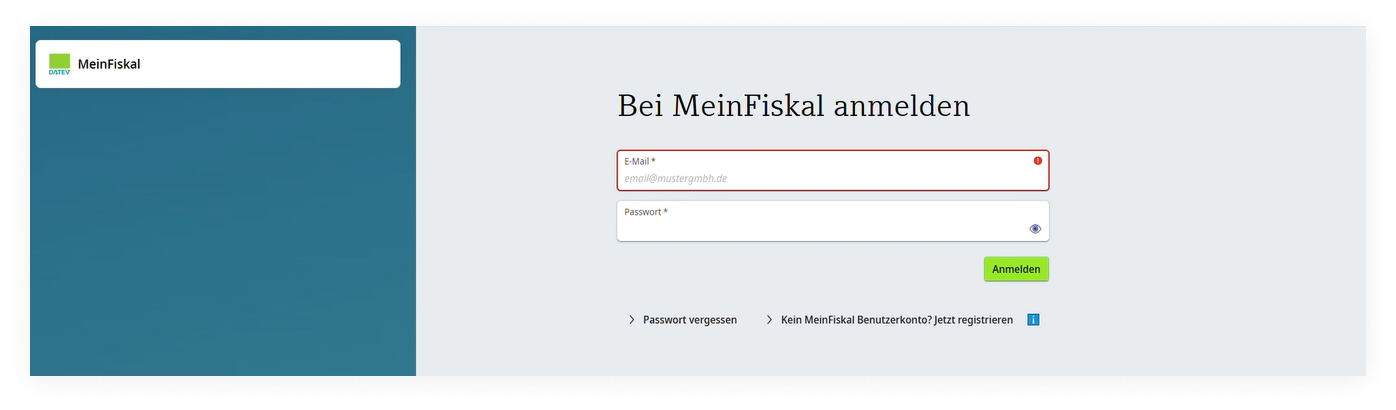
- Authorize efsta to transfer data
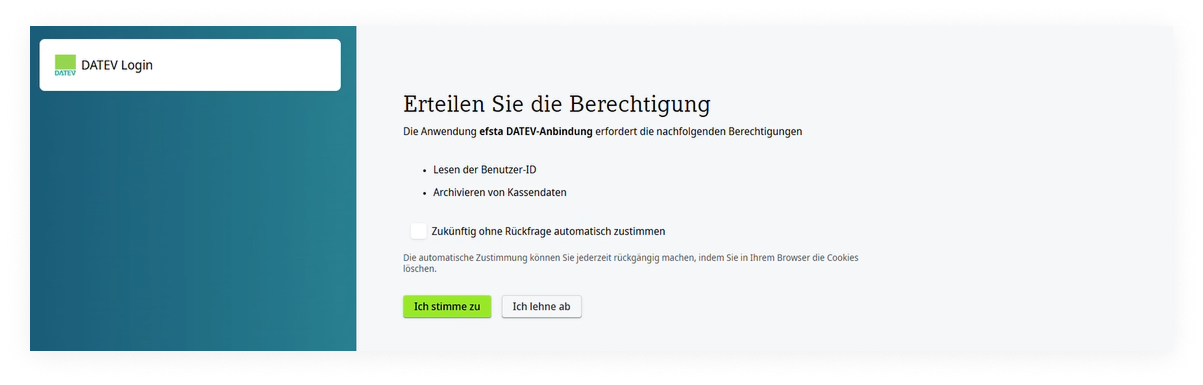
- Once connected, automatic exports start the following day
- the status is shown in the efsta Portal
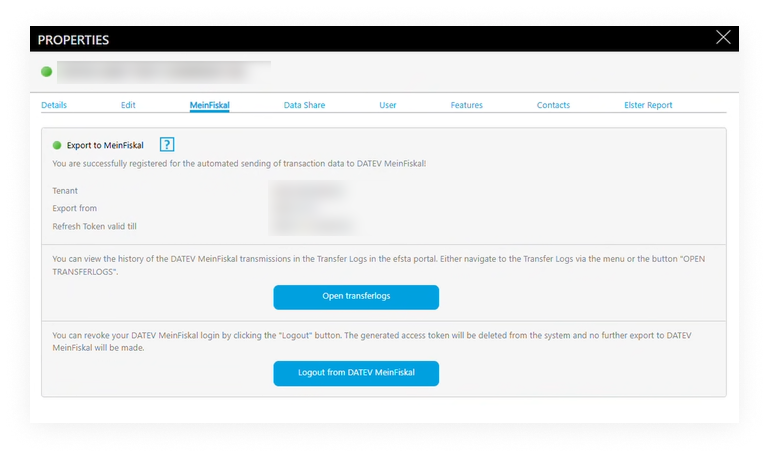
- the status is shown in the efsta Portal
Disconnecting the Integration
If you log out from MeinFiskal in the portal:
- Data transfers stop immediately
- Already transferred data remains in DATEV
info
To fully deactivate the service (including billing aspects), please contact your efsta partner or support.