certificate
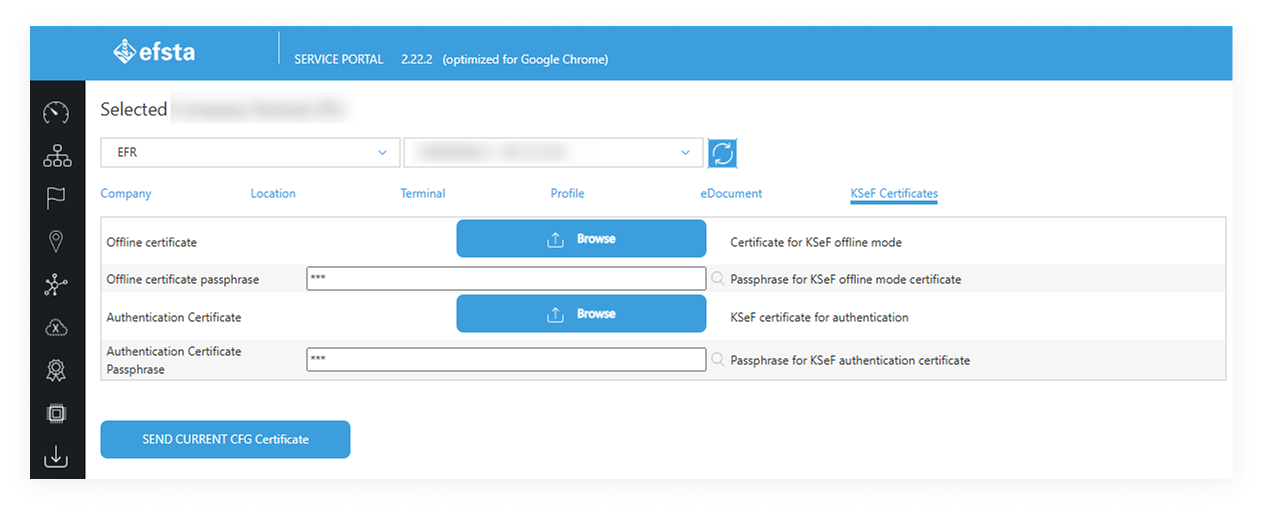
The efsta Portal only allows the simultaneous installation of both Authentication and Offline certificates, as both are needed in order for KSeF to properly function with the efsta infrastructure.
-
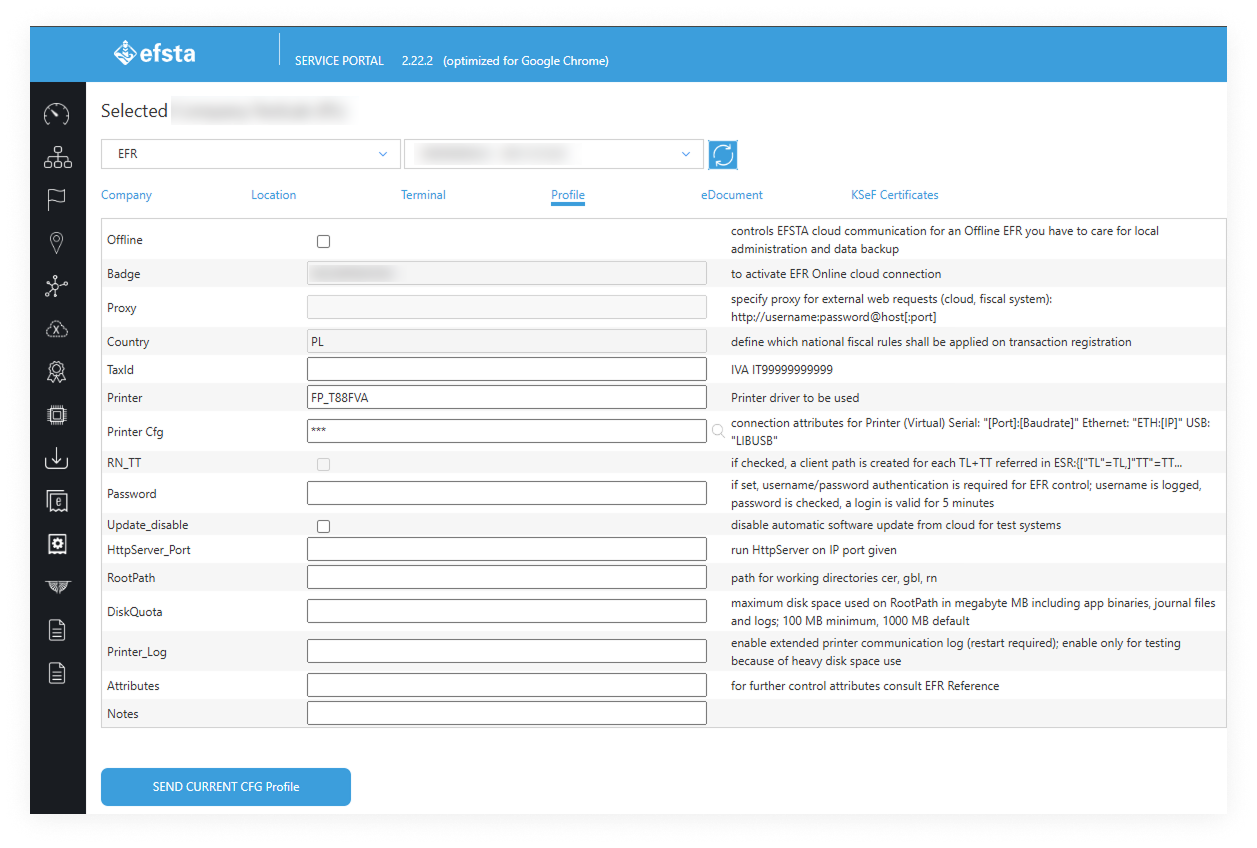
Find the EFR by ID in the efsta Portal
-
Open the KSeF Certificates section.
-
Upload the certificates Both Authentication certificate and Offline certificate simultaneously with the correct passwords.
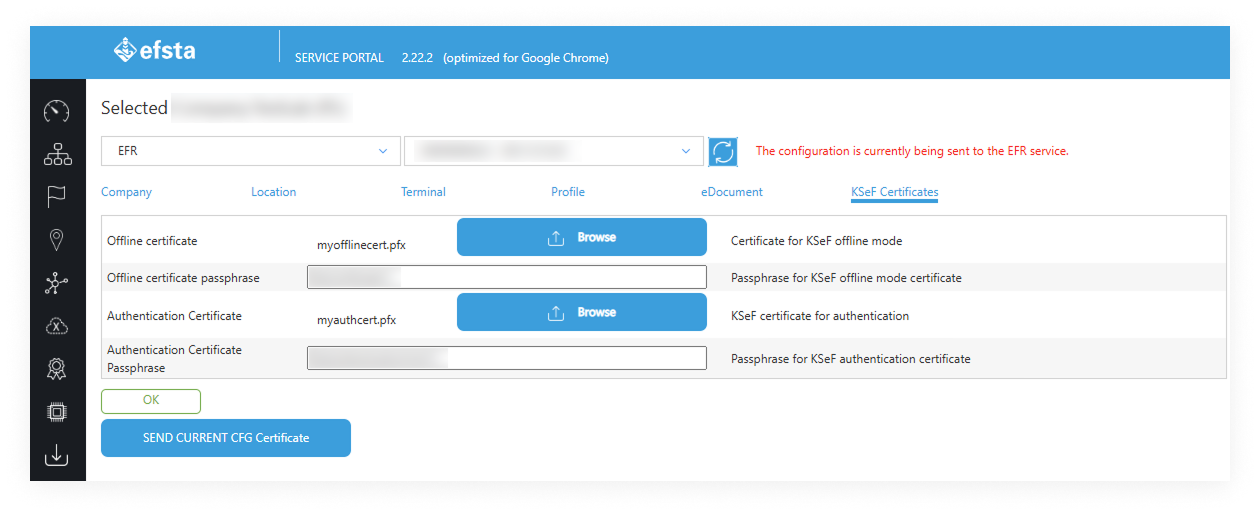
The Portal pushes the certificate to the EFR automatically via the heartbeat mechanism. Once received, the Offline certificate is installed in memory and becomes available for offline signing.